
Pose guidelines
Best practices for capturing front and right photos when sending images directly to the Bodygram Platform API.
Ensuring that your users are positioned correctly when taking photos is essential for you to make the most of Bodygram's capabilities. This page lists the best practices for posing.
These guidelines apply when you collect photos in your own UI and send them directly to the API (see Your first scan). If you embed Bodygram's Scanner UI or PWA Scanner, pose validation is handled for you.
Front photo
When taking front-facing photos, follow these guidelines for optimal results:
-
Full-body framing — make sure the entire body is captured within the frame.
-
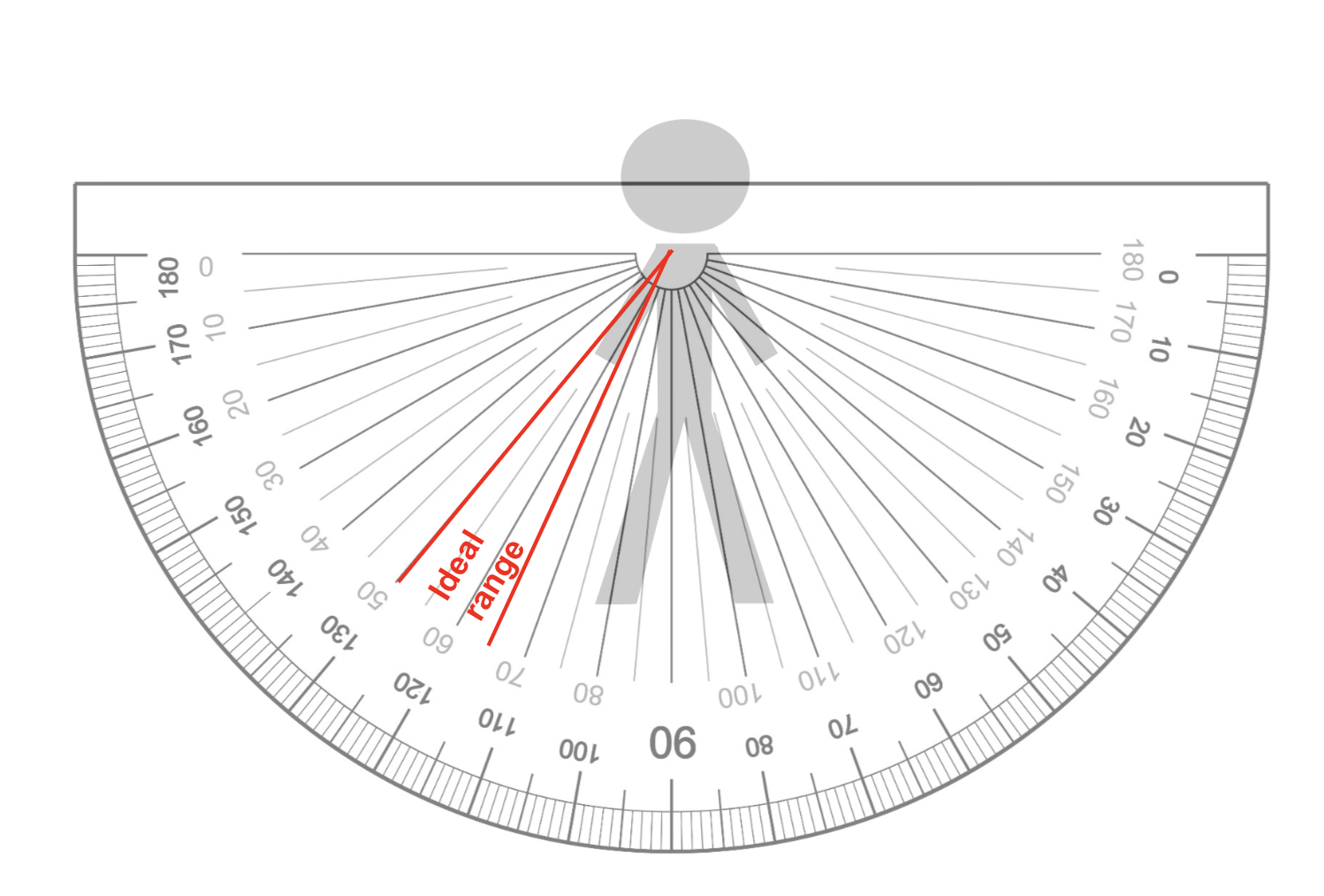
A-pose — stand in an A-pose with feet shoulder-width apart and arms slightly extended from the body. For accuracy, arms should ideally form an angle between 25° and 35° from the torso. The diagram below shows the minimum and maximum arm-angle thresholds for both the embeddable scan flow and when sending images through the API directly.
-
Stance — keep feet shoulder-width apart to maintain balance and stability during capture.
Right photo
For right photos, follow these recommendations:
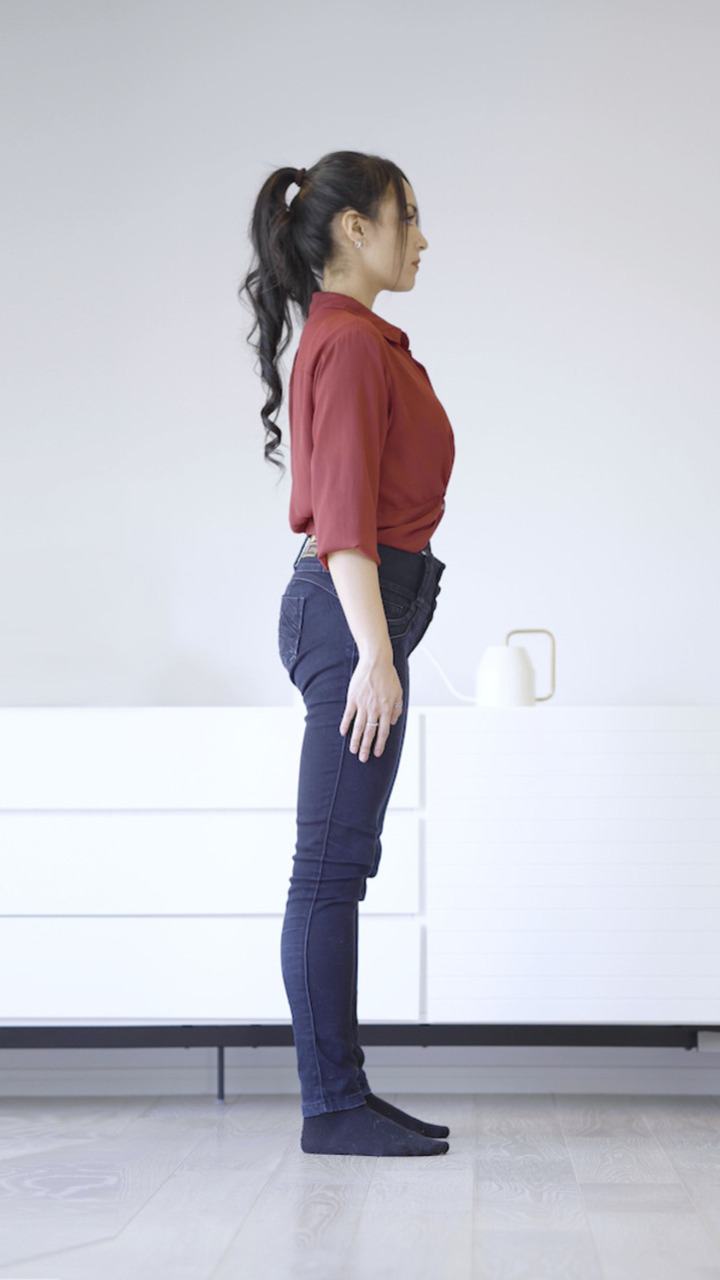
- Orientation and gaze — face to the right (from the camera's perspective) and keep a straight gaze.
- Feet positioning — keep feet together to create a uniform silhouette.
- Arm placement — keep arms parallel to the body, avoiding raised or lowered positions.
Photo requirements
Both photos must satisfy the following requirements:
| Requirement | Value |
|---|---|
| Format | JPEG |
| Size | No more than 3 MB |
| Resolution (width × height) | 1080 × 1920 or 720 × 1280 |
| EXIF information | Recommended, but optional |
Examples
The following images are valid examples of front and right poses:
| Front | Right |
|---|---|
 |  |
Incorporating these techniques into your application will help you obtain the best possible results from Bodygram.
Related
- Your first scan (API) — send these photos to the Platform API
- Scanner UI — embed Bodygram's scanner if you'd rather not handle pose validation yourself
- API Reference
Your first scan (API)
Call the Bodygram Platform REST API directly with your org ID and API key to get body measurements and a 3D avatar from user stats.
Use API + Scanner UI
Integrate the hosted Bodygram Scanner web app — generate a scan token, build the Scanner URL, and embed it via link, new tab, or iframe.